One Platform for
Airline Operations,
Crew, Safety & iPad Workflows
A web command dashboard for airline admins and a native iPad app for crew — rosters, manuals, safety reports, duty reporting, and devices, all under one tenant-secured platform.
See the full deck on pricing · Existing client? Client Login
One Operating System for Airline Operations
Web dashboard for the operations side. iPad app for the crew side. Tenant-isolated data for every airline. Role-based access for every user. Auditable from end to end.
Web Command Dashboard
Operational view for airline admins, schedulers, HR, safety, and engineering — KPIs, compliance, devices, and documents in one place.
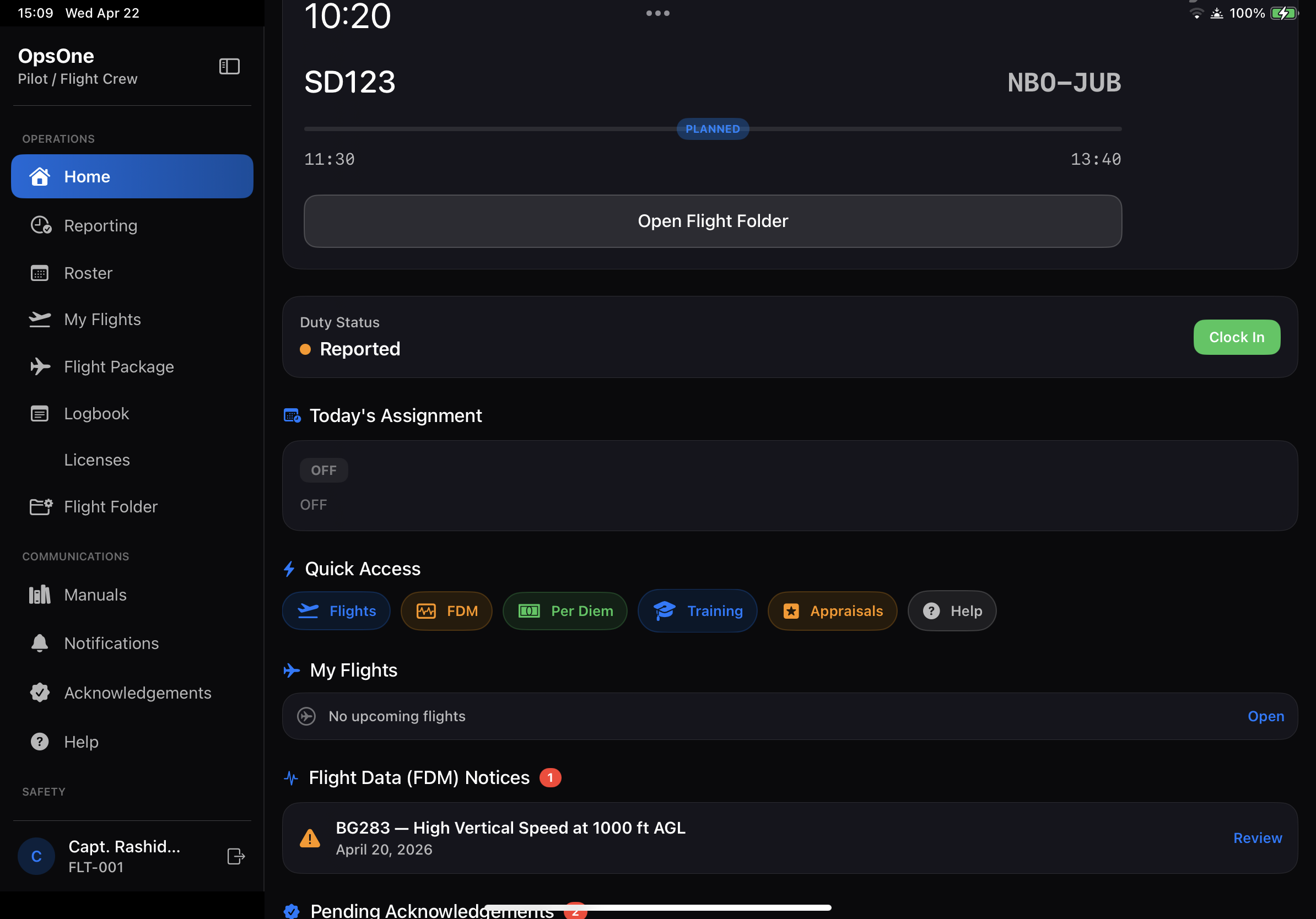
iPad Crew App
CrewAssist on iPad for pilots and cabin crew: roster, briefing, manuals, notices, safety reports, and report-for-duty in one app.
Airline Tenant Portal
Each airline gets its own tenant-secured portal at /airline/{slug}/login. Data, users, devices, and audit trails are fully isolated.
Role-Based Dashboards
16 configurable roles from Pilot to Platform Super Admin. Each role sees only the modules and data their position requires.
Device & Manual Distribution
Approve every iPad before it touches your data. Push manuals, notices, and revisions to crew devices with version-tracked acknowledgement.
Safety & Reporting Workflows
Safety reports, investigations, corrective actions, FDM events, and risk tracking — wired into the crew app and the safety team's dashboard.
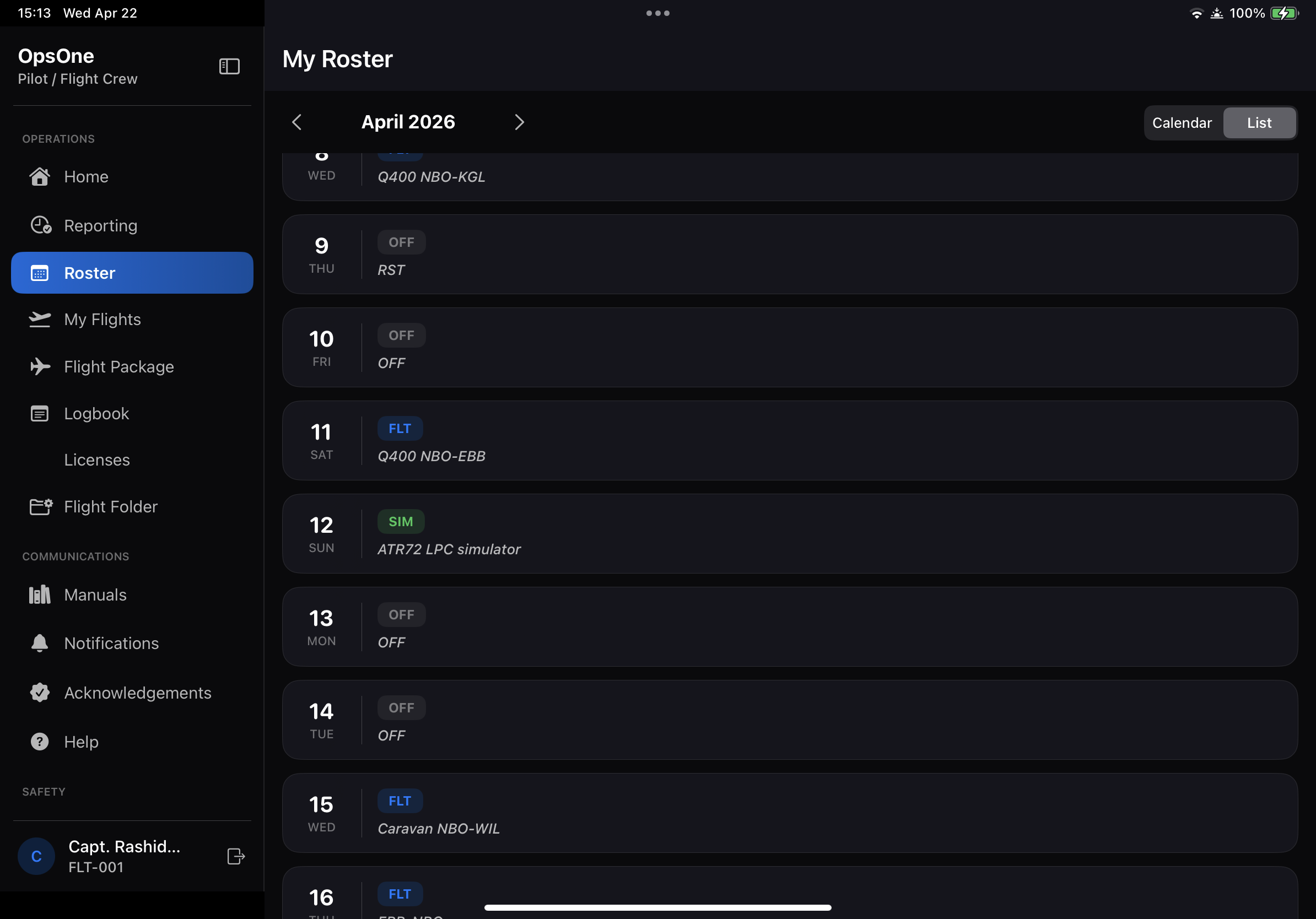
Built for the Cockpit, Galley, and Crew Room
Crew open one app to see their full month, today's flight, the latest manuals, and any safety bulletins they need to acknowledge. The iPad is a workspace, not a portal.
- Roster & briefings — full month at a glance, with duty types color-coded
- Report for duty — one-tap check-in with location and timestamp
- Flight package — navigation logs, fuel, waypoints, after-mission forms
- Manuals & notices — latest revisions pushed to every device, acknowledgement tracked
- Safety reporting — submit reports inline, with categories and severity
- FDM & logbook — pilot inbox for events, electronic logbook export
- Offline-ready — previously synced manuals and roster work without network
Run the Airline From One Screen
The dashboard is built around six purposeful groups — not 50 menu items. Every role lands on a view shaped to their day.
- Scheduling — flights, roster workbench, revisions, change requests
- Staff & roles — users, departments, bases, fleets, capabilities
- Crew records — profiles, qualifications, expiries, eligibility
- iPad devices — approve, revoke, audit every device that connects
- Documents & notices — manuals, bulletins, version history, ack reports
- Audit logs — every login, upload, approval, and config change
From Crew Submission to Closed Action
Reports submitted on the iPad land in the safety officer's queue with severity, category, and assignee. Investigations, corrective actions, and FDM events are tracked end-to-end — with publications back to crew when needed.
Reports
Crew submit safety reports from iPad with category, severity, location, and attachments. Drafts saved automatically.
Investigations
Safety team triages, assigns, and threads internal notes alongside crew replies. Status moves through the full investigation lifecycle.
Corrective Actions
Open actions against root causes, assign owners, and track them to verified closure. Linked back to the originating report.
FDM & Risk
Flight data events flow into a pilot inbox for acknowledgement. Risk register tracks emerging issues alongside published lessons.
Every Airline Gets Its Own Secure Portal
OpsOne is multi-tenant by design. Platform admin onboards an airline, provisions an isolated tenant, and hands off full administration to the airline's own admin team. One platform, many airlines, zero cross-tenant data exposure.
/airline/airline-a/login
- Own users, roles, devices
- Own roster & manuals
- Own admin team
/airline/airline-b/login
- Own users, roles, devices
- Own roster & manuals
- Own admin team
/airline/airline-c/login
- Own users, roles, devices
- Own roster & manuals
- Own admin team
Strict tenant isolation
Every table is scoped by tenant. No cross-airline data is ever queryable, even by accident.
Platform-driven onboarding
Platform super admin provisions the tenant, enables modules, and creates the airline's first admin account.
Tenant-scoped login URL
Each airline can use its own branded login at /airline/{slug}/login alongside the global /login.
Full audit trail
Logins, uploads, approvals, and config changes are all logged per-tenant with user, timestamp, and IP.
Ready to See OpsOne With Your Airline's Data?
Tell us about your operation. We'll book a 30-minute demo with your team and walk through the platform with workflows shaped to your fleet, your bases, and your roles.
Already a client? Sign in · New airline? Get onboarded